
Product Information
(0 Review)
£29.99
TRACKIT is a macOS app, a task manager made for music producers, record labels, mastering engineers, and producers working with clients.
Please note: this is a Mac app. It needs macOS 14 (Sonoma) or later and runs on both Apple Silicon and Intel Macs.

If your projects folder is full of half finished tracks called Final, Final V2 and Final Final, this one is for you. TRACKIT gives every track a home and helps you actually finish what you start.
- Stop losing track of half finished projects
- Always know what is left before a track is done
- See where your tracks keep stalling, and finish more
- Keep every idea, sample and voice note with the track
- Pin every fix and bit of feedback to the right track
- Keep your own music, client work and label jobs apart

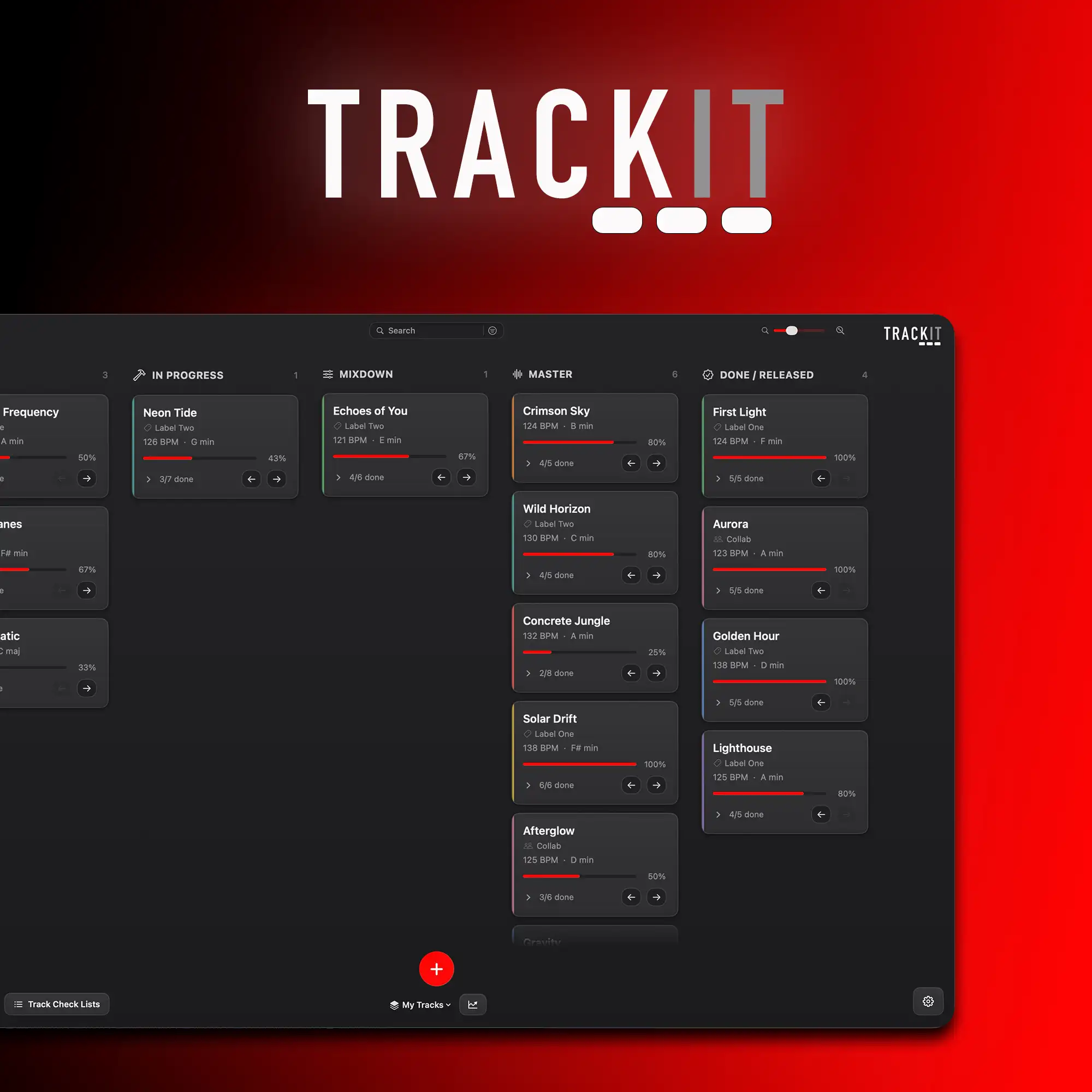
See every track and how close it really is
Every track you are working on sits as a card and moves through your own stages as it comes together, from the first idea all the way to released. You can see everything you have on the go in one place instead of digging through folders trying to remember what was what.
As you tick off the bits that still need doing, each card fills up a little progress bar. Seeing a track sat at 80% done with two jobs left is often all it takes to get you back in and finishing it rather than starting something new.
See where your tracks keep dying
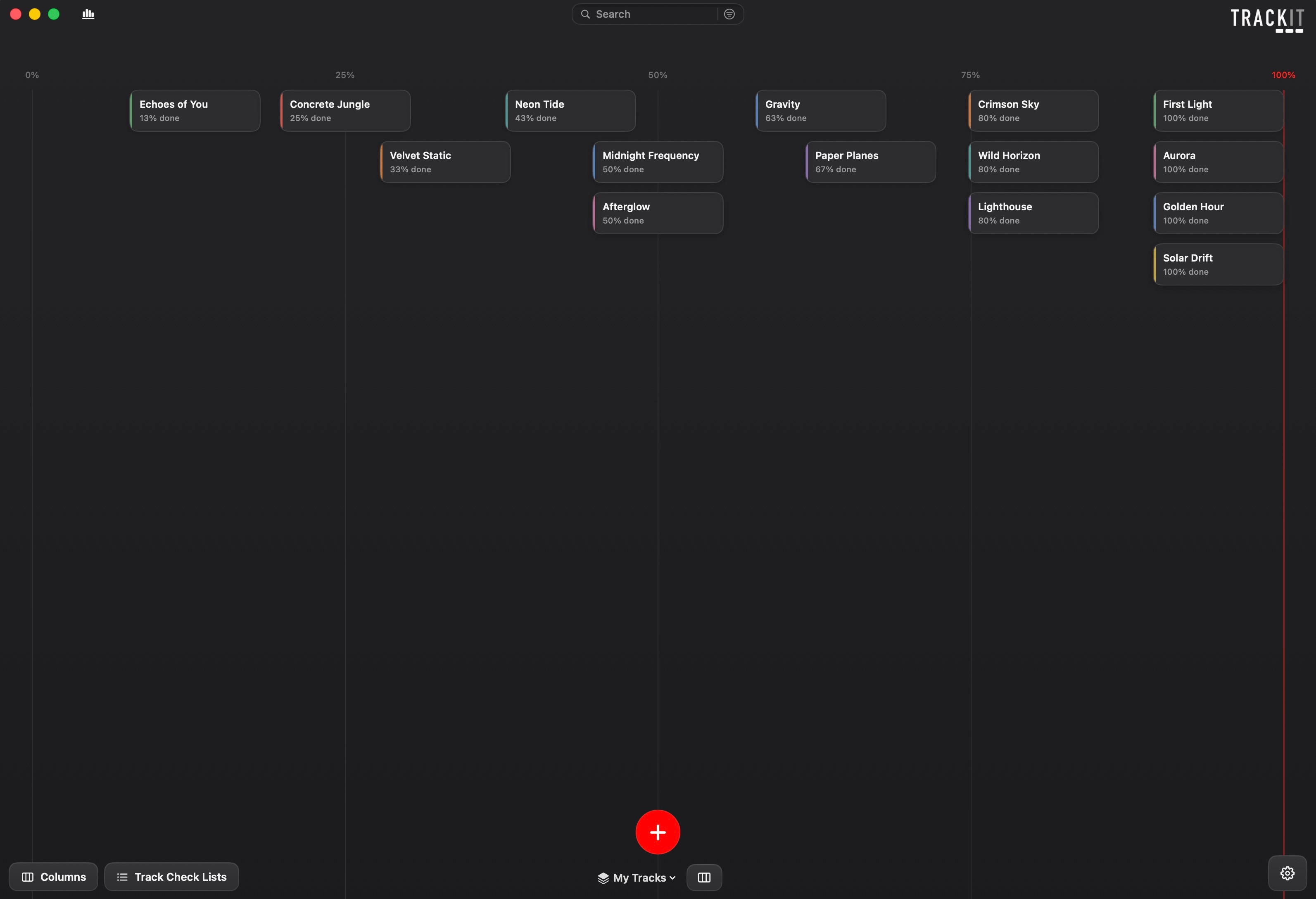
This is the part I think makes a massive difference. TRACKIT quietly keeps an eye on how your tracks move and shows you where they tend to get stuck. You might find out that loads of your tracks stall at the mixdown stage and sit there for weeks, or that you start five tracks for every one you actually finish.
That kind of honest picture of your own habits is really hard to get any other way, and once you can see it, it becomes a lot easier to do something about it. It also shows off everything you have finished, which is a nice bit of motivation on the days nothing feels like it is moving.
Everything about a track in one place
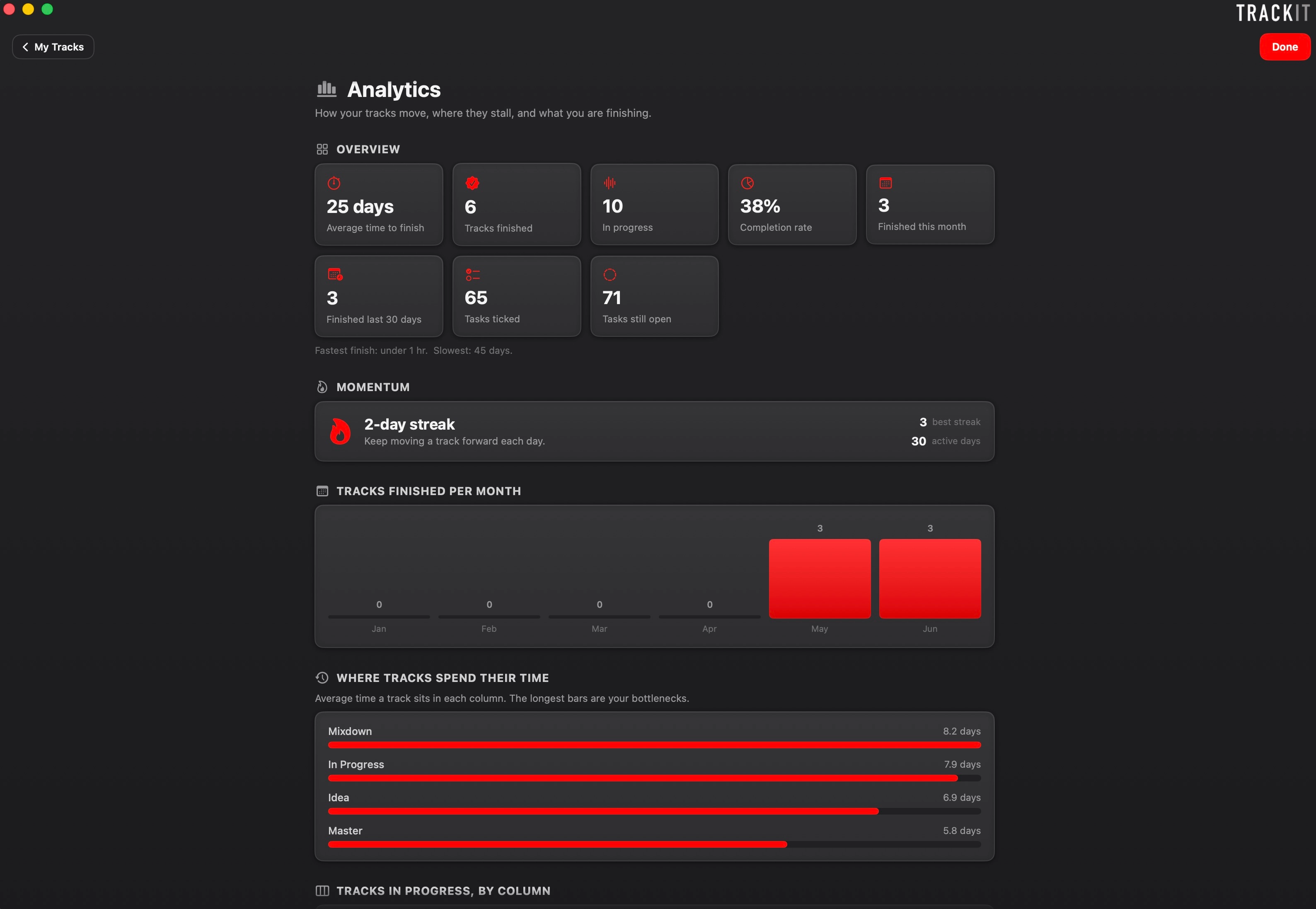
Open a track and it is all there, the BPM and key, the checklist of bits left to do, the label it is going to, and your own notes. No more opening a session and sitting there trying to remember where on earth you left off.
You can build the checklist however you like for each track, and the completion bar updates as you go, so you always know what is actually left before it is done.
Never lose a good idea again
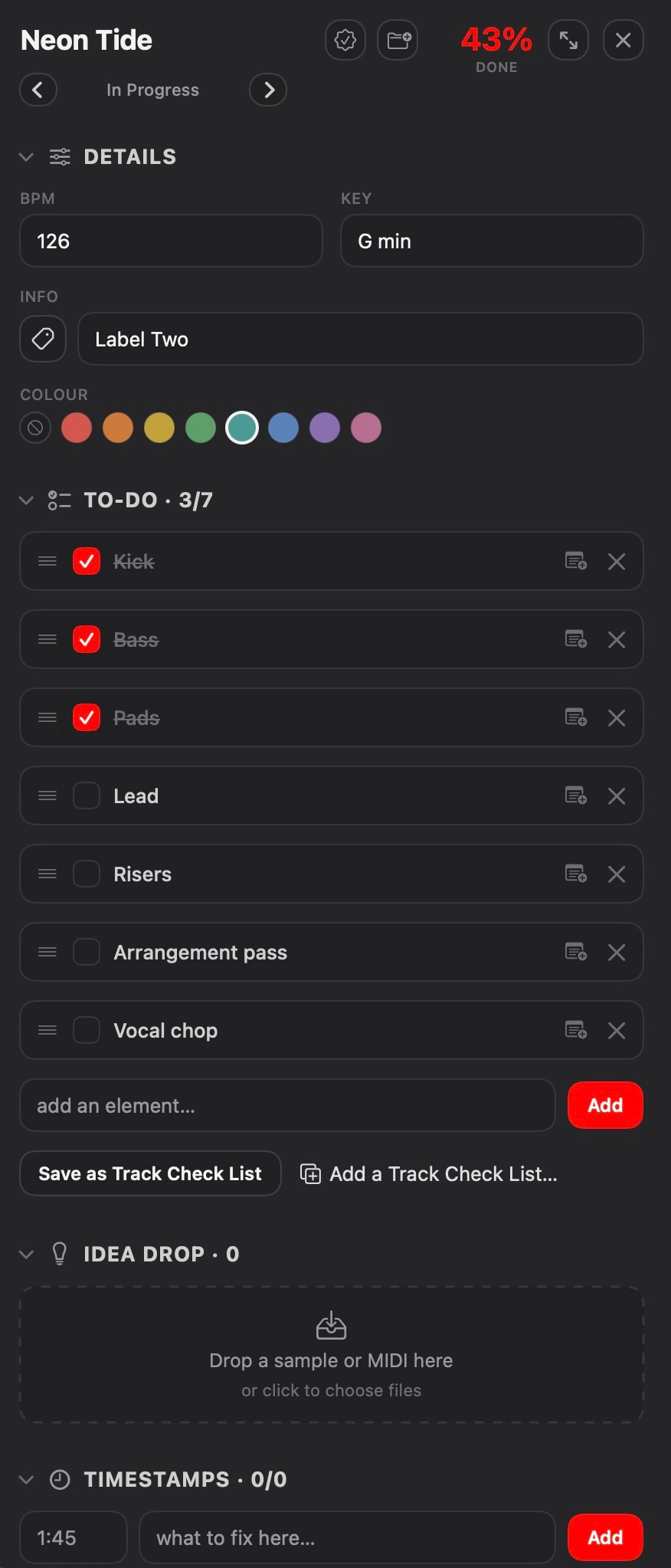
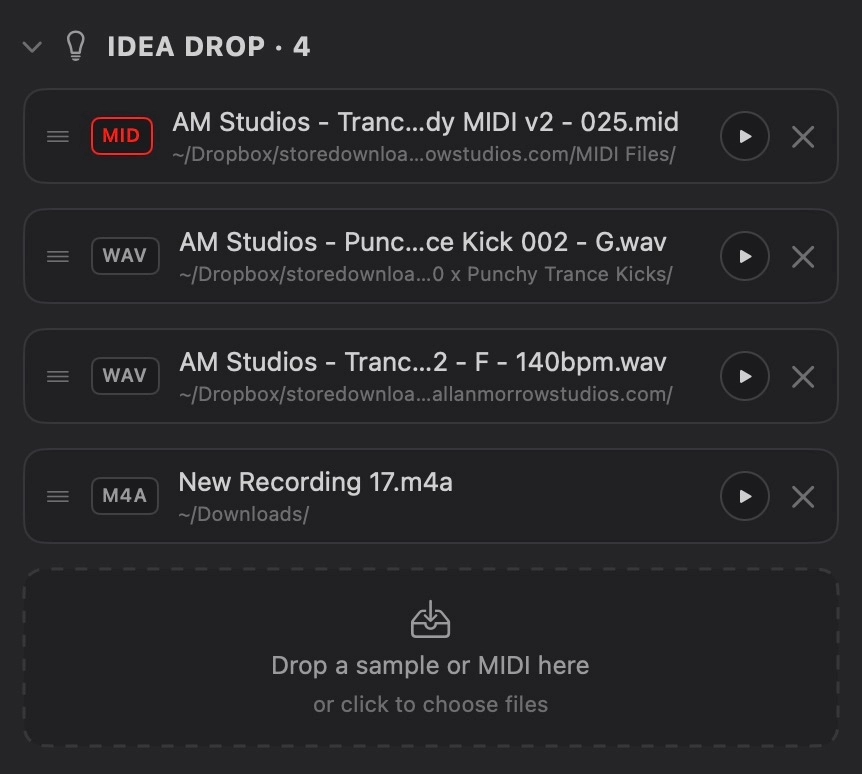
Drop a sample, a bit of MIDI or a voice note onto a track and it gets parked right there with it, so all the little ideas that belong to a track live in one place instead of scattered across your drive. You can play any of them back without opening anything else, just to jog your memory of what you were going for.
Nothing gets copied or changed, it just links to the file wherever it already lives on your computer, so your stuff stays exactly as it is. Think of it as a parking bay for your ideas, where all the bits you would normally lose track of are sat right next to the track they belong to.
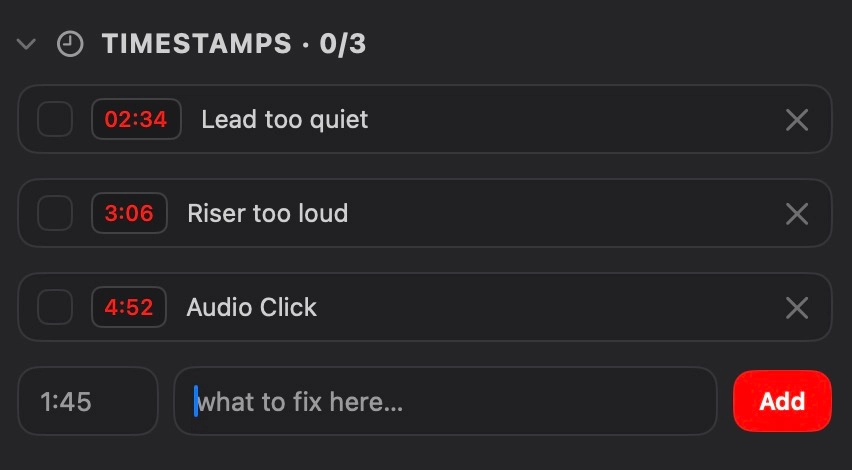
Pin every fix to the exact second
When you are listening back and something jumps out, like the lead being too quiet at 2:34 or a riser sitting too loud, you can mark the exact spot so you know precisely where to go when you open it back up. No more scribbled notes or trying to remember what that one thing was.
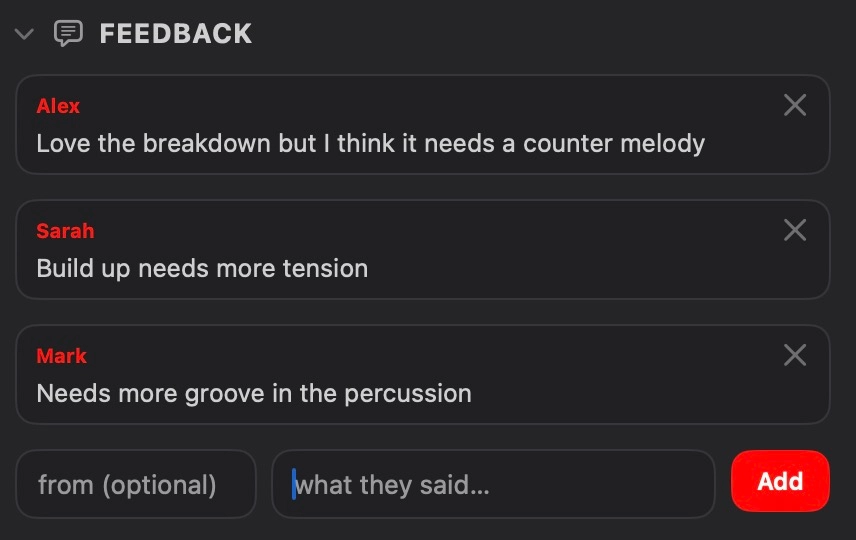
Keep all your feedback in one place
When you send a track out to the people you trust and the notes come back, you can log it all against the track, who said what and what they reckoned. So instead of feedback being scattered across messages and emails, it is sat right there next to the track it is about, ready for when you go back in to work on it.
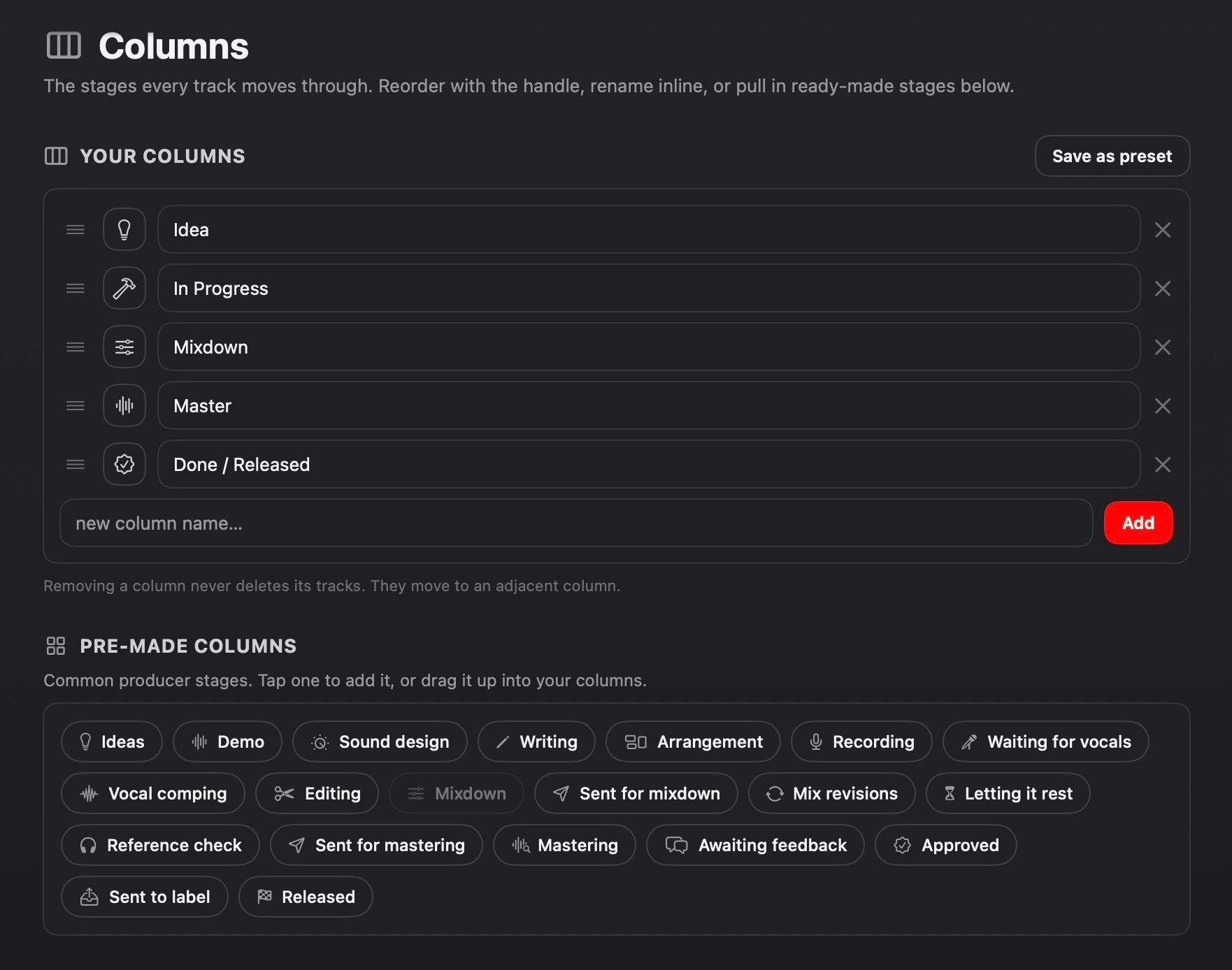
Build your own roadmap
The stages every track moves through are completely up to you. Start from the ready made ones or build your own from scratch, rename them and reorder them so they match the way you actually work. A producer's roadmap looks nothing like a mastering engineer's, so TRACKIT lets you set it up to suit yours rather than forcing one way of doing things.
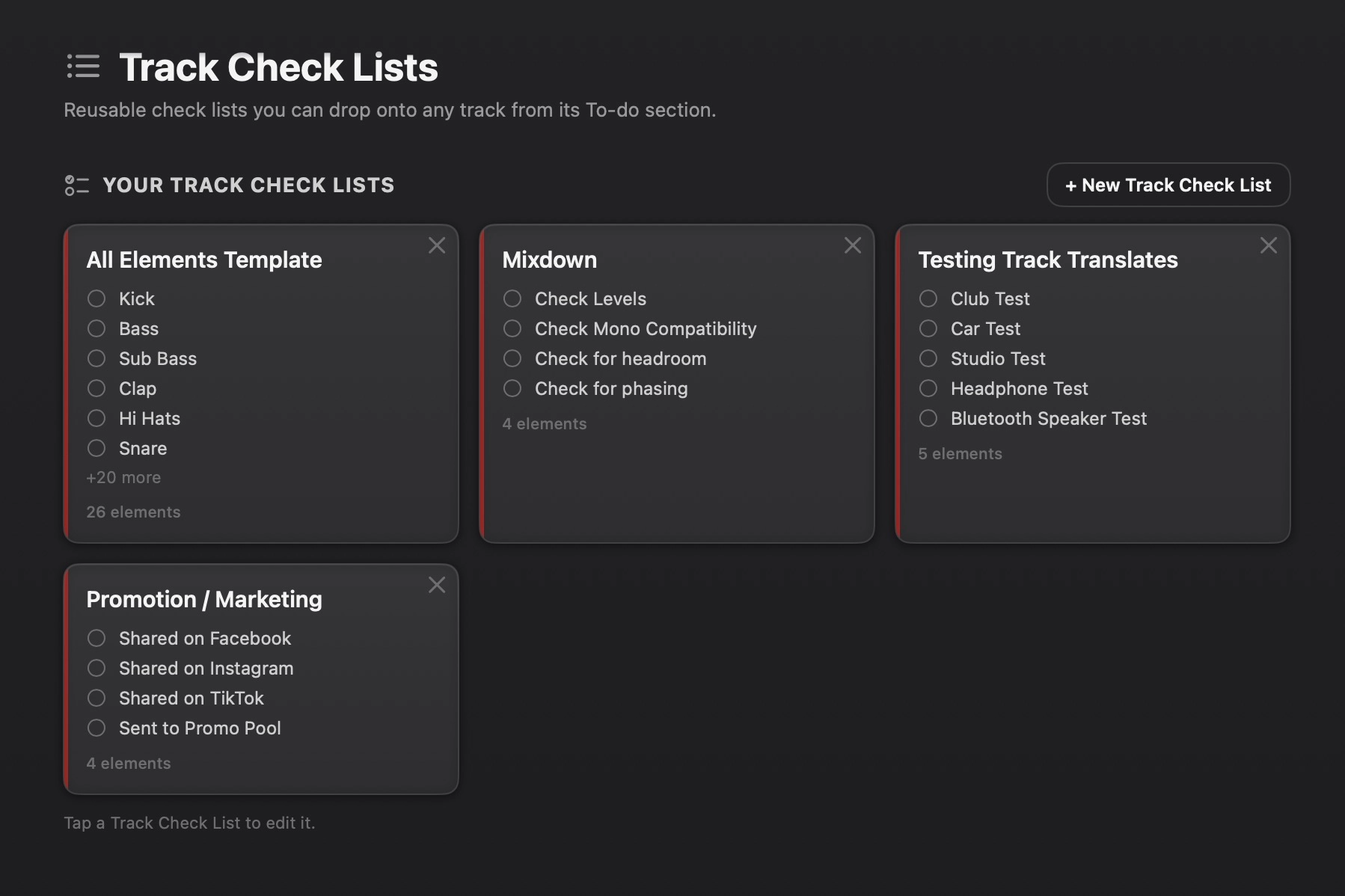
Save the checklists you use again and again
If you find yourself adding the same list of elements to every track, you can save it as a reusable check list and drop it onto any track in a couple of clicks. Your go to drum elements, a mixdown checklist, a promo and marketing list for when a track is done, whatever you keep coming back to, set it up once and reuse it.
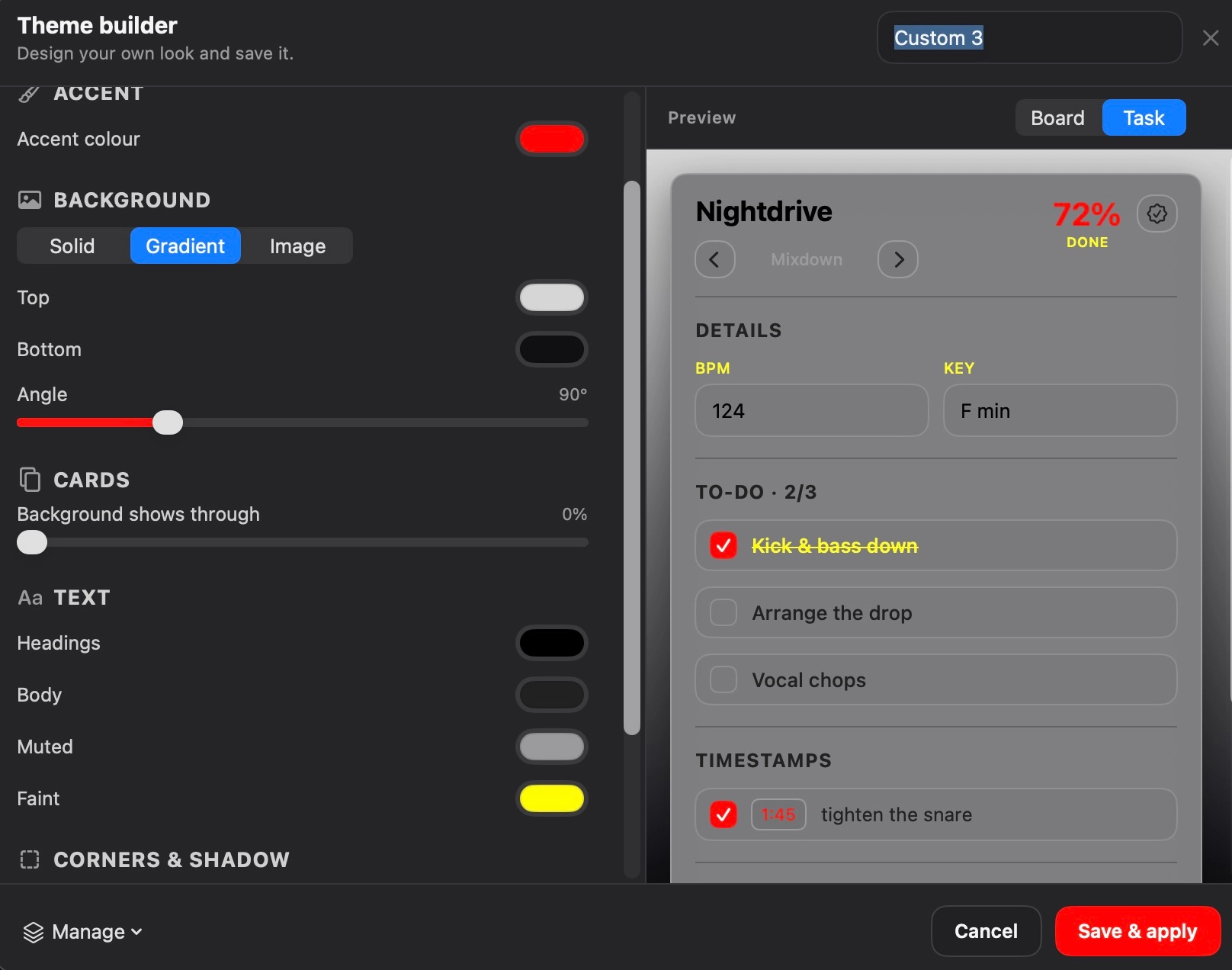
Set it up to look however you like
There is a full theme builder in there so you can change the accent colour, the background, add a gradient or even your own image, and tweak it until it feels like yours. A little thing, but working in something that looks the way you want it to does make a difference.
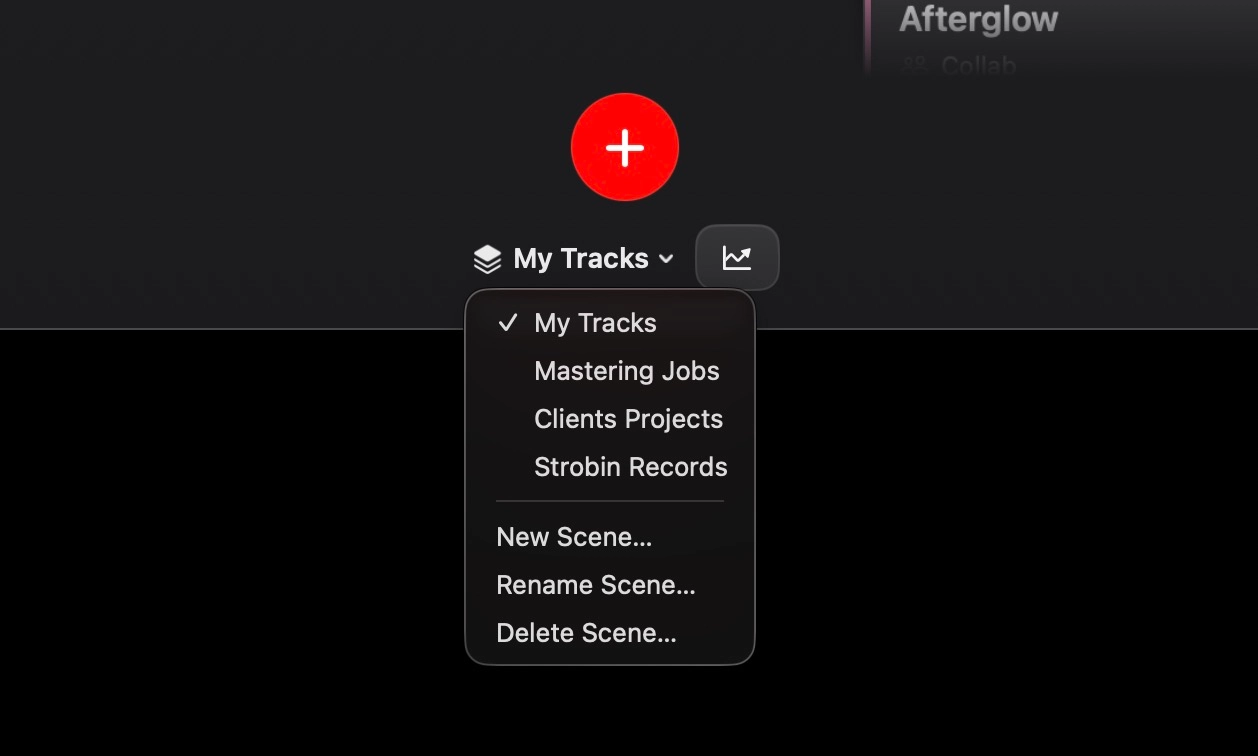
Not just for producers
Separate scenes let you keep everything apart, so your own music never gets tangled up with client work or label releases.
•Producers
Keep your own tracks moving from idea to finished, and finally get on top of that backlog.
•Record labels
Track where every release is in the pipeline, from the moment it comes in to the day it goes out.
•Mastering engineers
Keep a clear view of every job that is in, what stage it is at, and what is ready to go back.
•Client work
A separate scene per client so you can see how each one's tracks are coming along at a glance.
Frequently asked questions
Is it a one off payment or a subscription?
It is a one time purchase. You buy it once and it is yours, no monthly fees and nothing to renew.
Will it move or change my files?
No. When you park a sample, a bit of MIDI or a voice note onto a track, it just links to the file wherever it already lives on your computer. Nothing gets copied, moved or changed, so your files stay exactly as they are.
Does it work with my DAW?
Yes. It is not a plugin, it is a separate app that sits alongside whatever you produce in, so it works the same whether you are in Ableton, Logic, FL Studio or anything else. You carry on working how you always have and use TRACKIT to keep on top of where everything is up to.
Is my data stored online?
No. There is no account to set up and nothing gets uploaded anywhere. Everything stays on your own Mac and it works completely offline.
What happens if I get a new Mac?
There is a manual backup built in, so you can export everything to a single file and bring it straight back in on your new machine without losing anything.
Can I use it for client work or a label?
Definitely. You can set up separate scenes so your own music, your client jobs and any label releases all stay in their own space rather than getting tangled up together.
Finish more of what you start
If you have got a pile of unfinished tracks and you are tired of losing track of where they are all up to, this is the kind of thing that can really help you get a grip on it.
System requirements
- Operating systemmacOS 14.0 (Sonoma) or later
- MacWorks on both Apple Silicon and Intel Macs
£10.99


£9.99 Original price was: £9.99.£6.99Current price is: £6.99.
You may also like...

Arturia JUP-8000 V – Trance Essentials Soundbank Vol 3
(0 Review)

Arturia JUP-8000 V – Sunset Essential Trance 2000s Soundbank Vol 2 [66 x Presets]
(0 Review)

Arturia JUP-8000 V – Trance Essentials Soundbank Vol 2 (35 x Presets)
(0 Review)
Arturia JUP-8000 V – Trance Gates Soundbank/Presets
(0 Review)

Arturia JUP-8000 V – Trance Essentials Soundbank (35 x Presets)
(0 Review)
You may be interested in…
Arturia JUP-8000 V – Trance Essentials Soundbank Vol 3
(0 Review)
![Arturia JUP-8000 V - Sunset Essential Trance 2000s Soundbank [64 x Presets]](https://allanmorrowstudios.com/wp-content/uploads/2025/06/Sunset-Essential-Trance-2000s-for-Arturia-Jup-8000-V-300x300.jpg)
Arturia JUP-8000 V – Sunset Essential Trance 2000s Soundbank [64 x Presets]
(0 Review)
Arturia JUP-8000 V – Sunset Essential Trance 2000s Soundbank Vol 2 [66 x Presets]
(0 Review)
Arturia JUP-8000 V – Trance Essentials Soundbank Vol 4
(0 Review)
Arturia JUP-8000 V – Trance Essentials Soundbank Vol 2 (35 x Presets)
(0 Review)
Related products

909 Kicks – 33 x Kick Samples
(0 Review)

Plucks & Leads Rack [Live Suite 11 + 12]
(0 Review)

Vintage Color Rack [Live Suite 11 + 12]
(0 Review)

Velocity Mapping Tutorial
(0 Review)
Hard Techno Kick & Bass [Ableton Template, Walkthrough Video & Audio Stems]
(0 Review)
Acid Trance Production Course – Start To Finish (6+ hours)
(0 Review)
Techno Kicks – 30 x Kick Samples
(0 Review)

Trance Harmony by Sunset (75 x Spire Presets)
(0 Review)
Trance Atmospheres & Textures Tutorial
(0 Review)

Trance Melody Writing Tutorial
(0 Review)
TRACKIT – Track Task Man...