
Product Information
£29.99
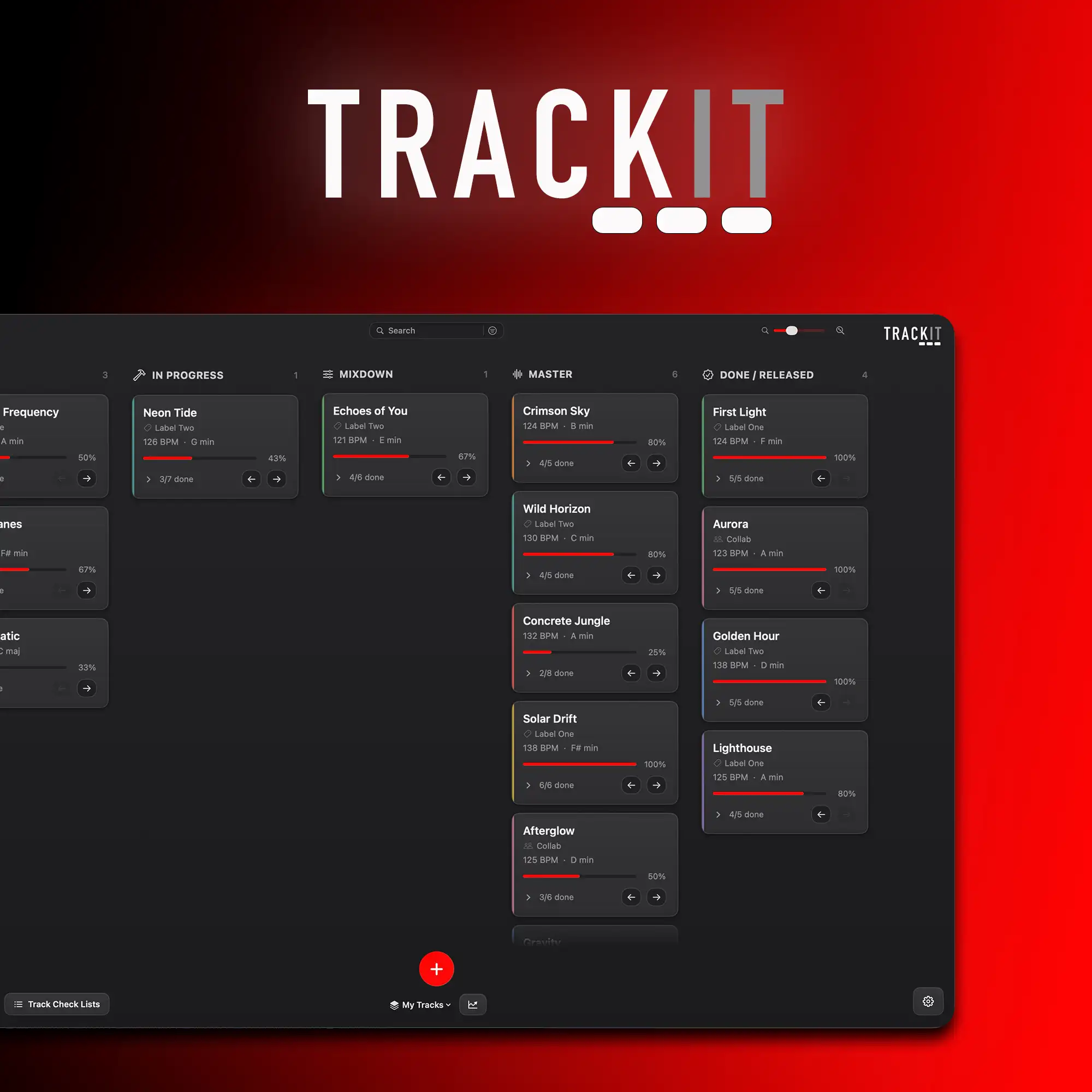
TRACKIT is a macOS app, a task manager made for music producers, record labels, mastering engineers, and producers working with clients.
Please note: this is a Mac app. It needs macOS 14 (Sonoma) or later and runs on both Apple Silicon and Intel Macs.

If your projects folder is full of half finished tracks called Final, Final V2 and Final Final, this one is for you. TRACKIT gives every track a home and helps you actually finish what you start.
- Stop losing track of half finished projects
- Always know what is left before a track is done
- See where your tracks keep stalling, and finish more
- Keep every idea, sample and voice note with the track
- Pin every fix and bit of feedback to the right track
- Keep your own music, client work and label jobs apart
- Keep everything in sync across all your Macs
- Now in eight languages

See every track and how close it really is
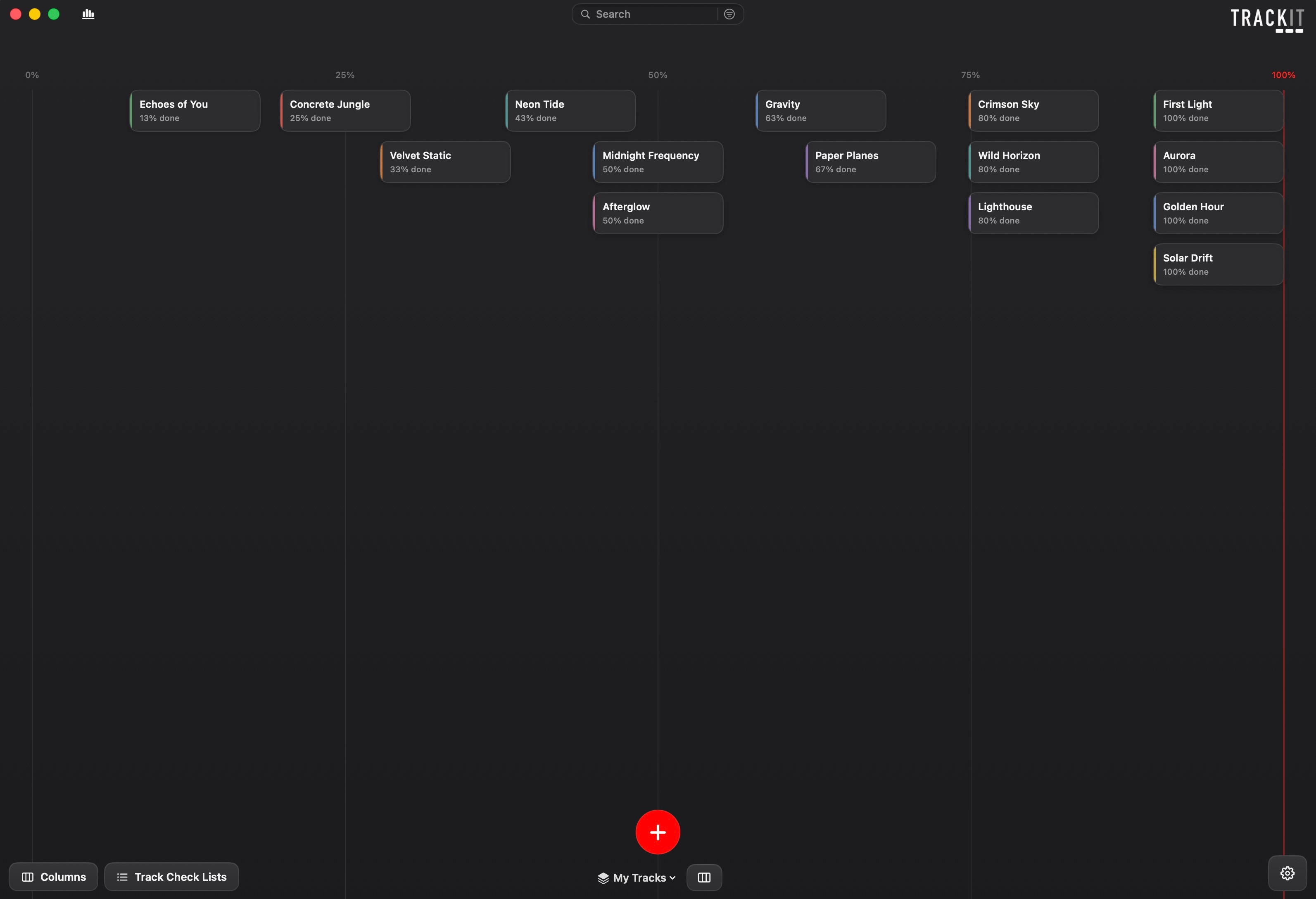
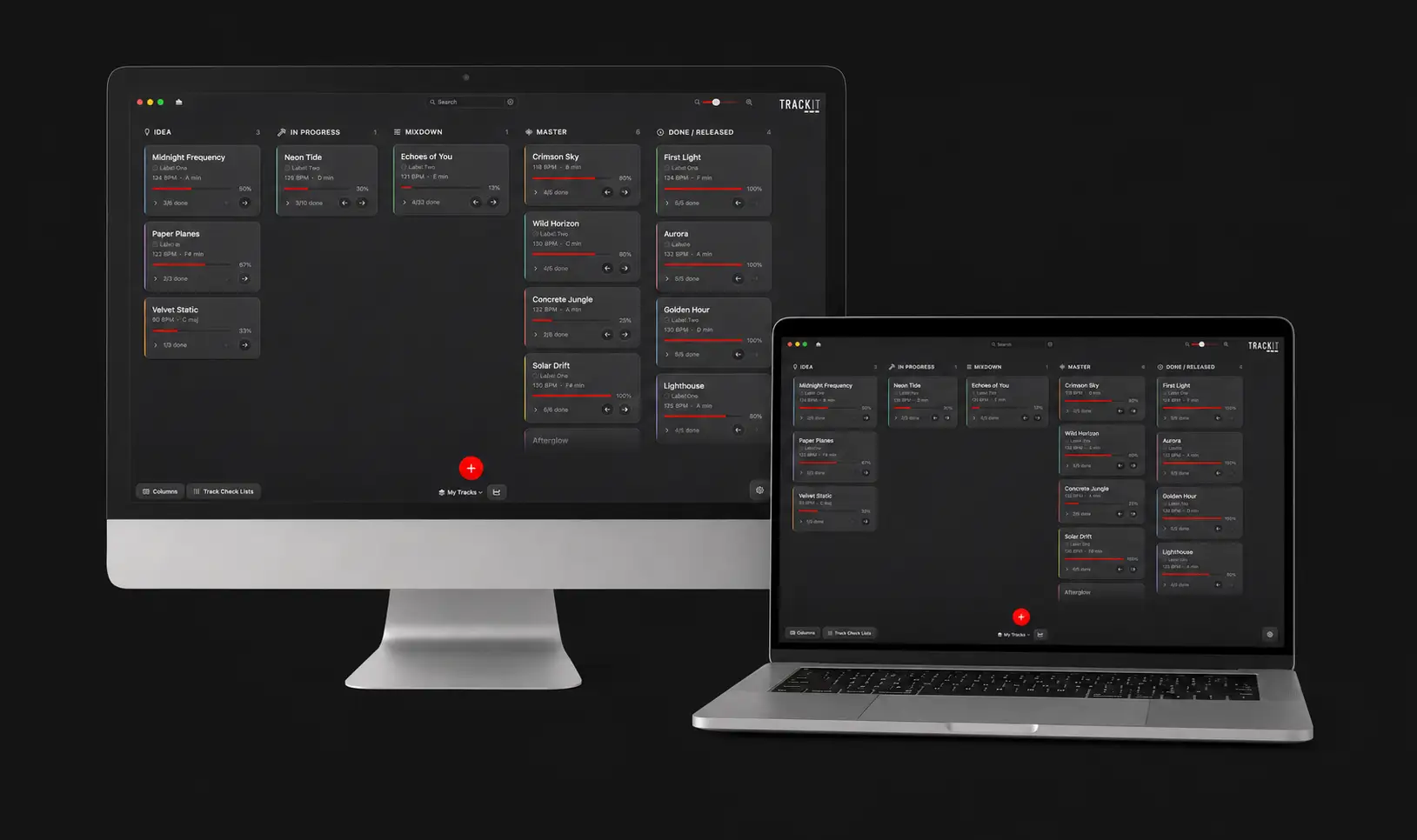
Every track you are working on sits as a card and moves through your own stages as it comes together, from the first idea all the way to released. You can see everything you have on the go in one place instead of digging through folders trying to remember what was what.
As you tick off the bits that still need doing, each card fills up a little progress bar. Seeing a track sat at 80% done with two jobs left is often all it takes to get you back in and finishing it rather than starting something new.
See what is on across every scene
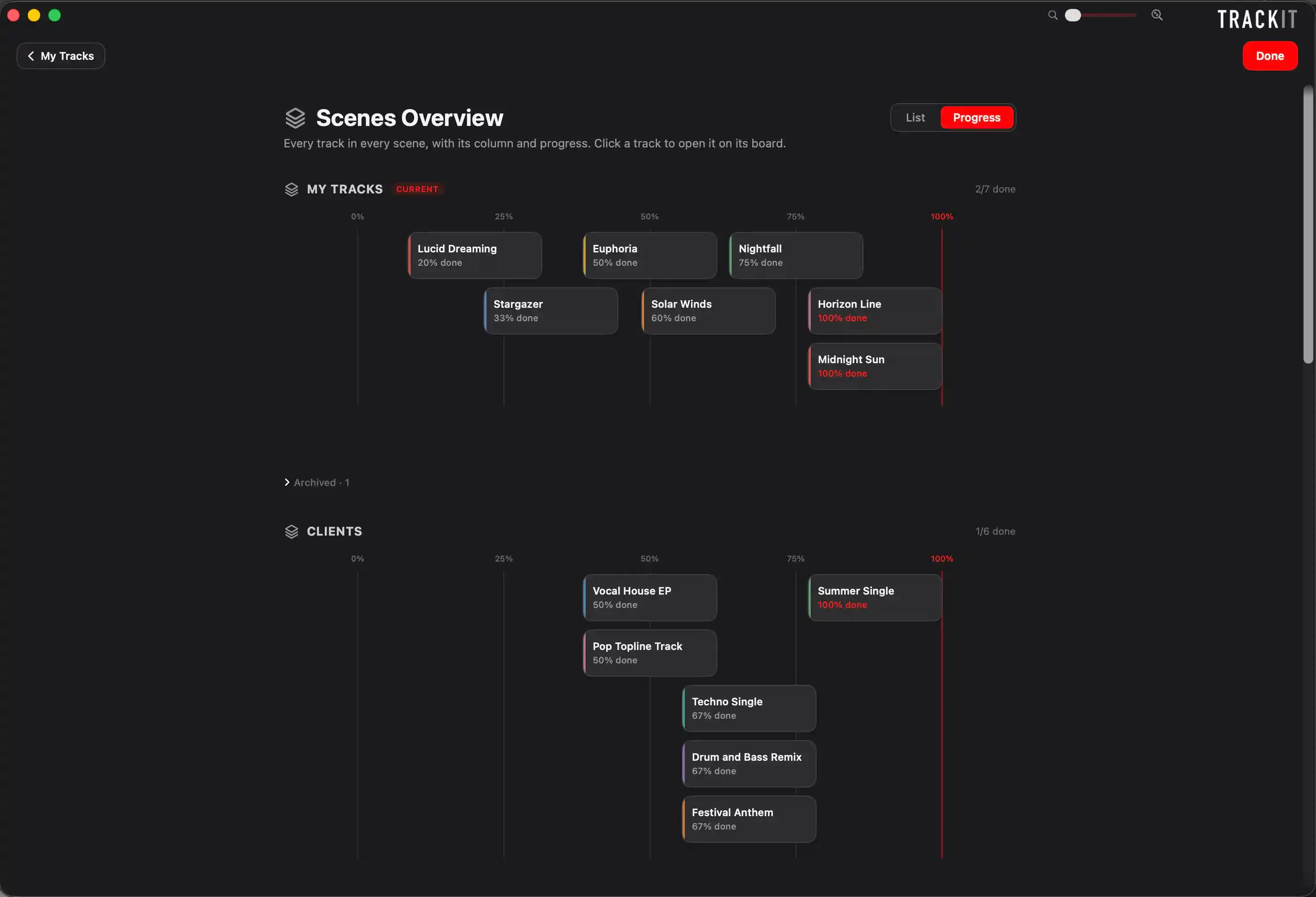
Once you are running a few scenes, one for your own music, one for each client, one for label releases, it gets hard to keep a picture of what is on across all of them. The Scenes Overview pulls every track from every scene onto one single screen, either as a list or as a progress view.
So you always know what you have actually got on across everything, not just the scene you happen to be looking at.
Pick up where you left off, on any Mac
Turn sync on and TRACKIT keeps everything the same on all your Macs, the whole board, your notes, your checklists, even the samples and ideas parked on your cards. Finish in the studio, open the laptop later, and it is all there.
There is no account and no server. It rides on a cloud folder you already use, like iCloud Drive, Dropbox or Google Drive, so your work only ever lives in your own cloud. And if you edit on two Macs at once it never guesses, it asks you which version to keep and backs the other one up first.
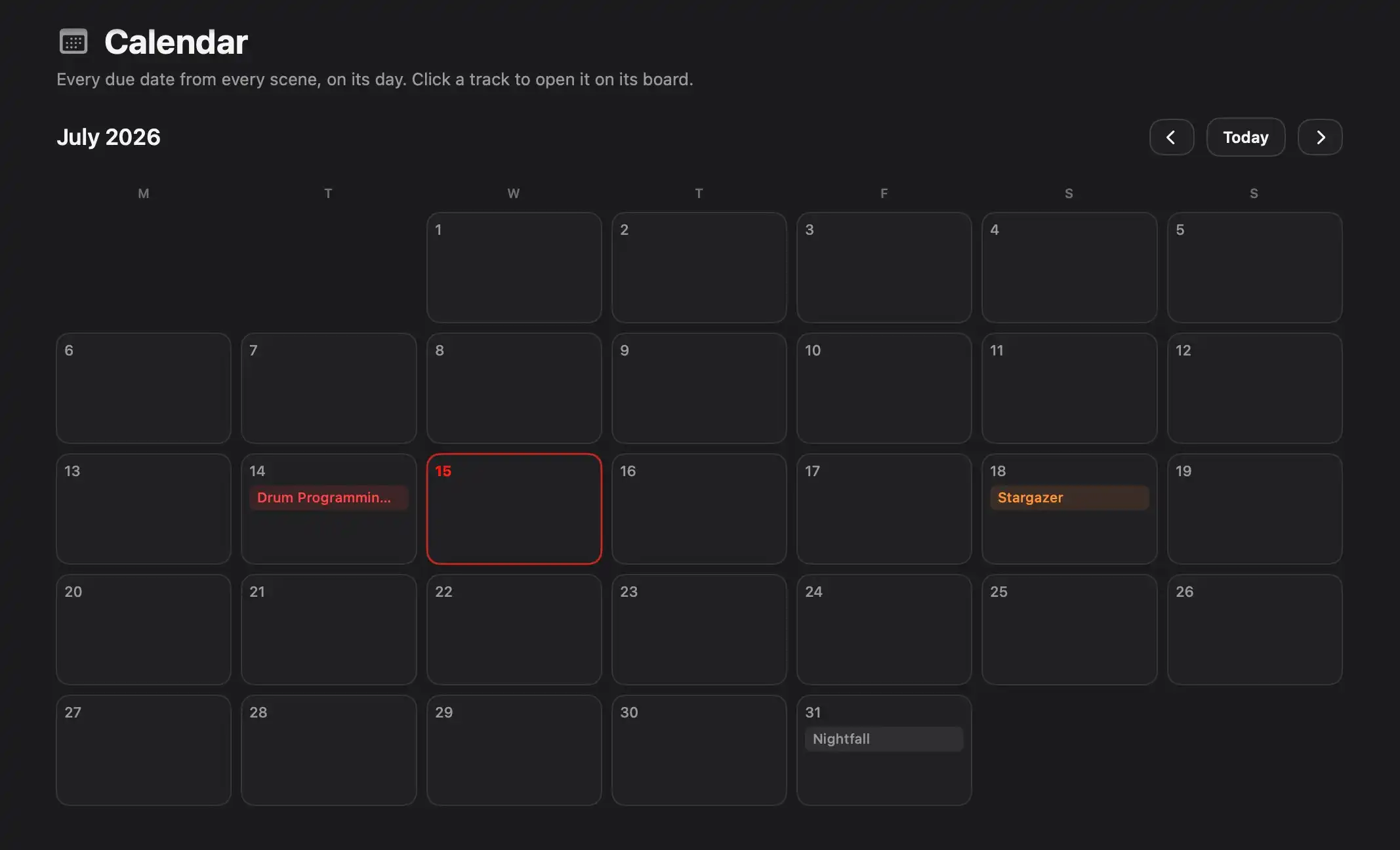
Every deadline on one calendar
Give a track a due date and it lands on a proper calendar, so everything you have got coming up, demos, client turnarounds, label submissions, is laid out on one month view.
It also gives you a quiet nudge the day before and again on the day itself, so nothing slips. You pick the time, and you can turn reminders off whenever you like.
Now in eight languages
The whole app and its guides now come in eight languages: English, Spanish, German, French, Italian, Portuguese, Chinese and Japanese. You pick yours the first time you open it and you can change it any time.
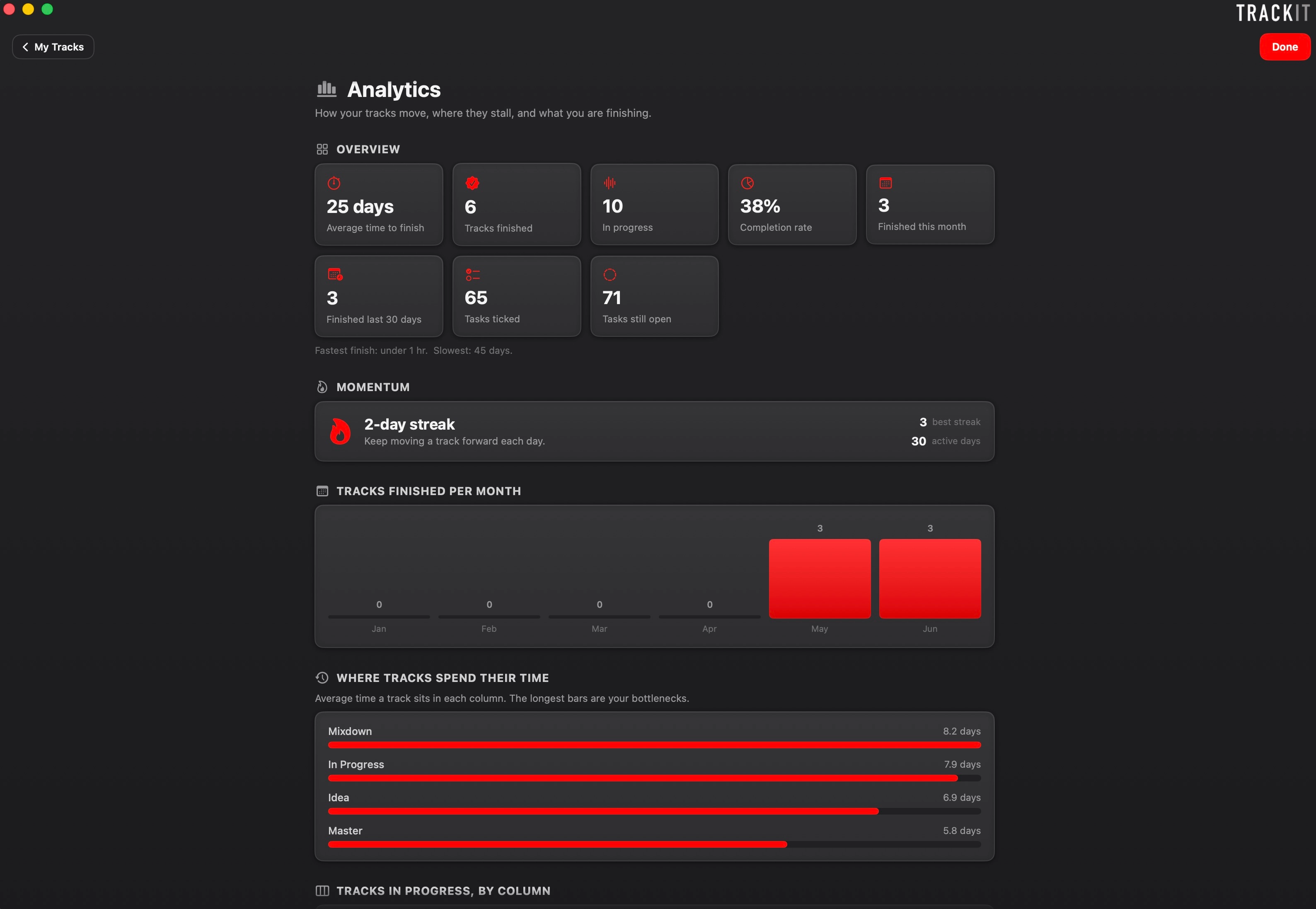
See where your tracks keep dying
This is the part I think makes a massive difference. TRACKIT quietly keeps an eye on how your tracks move and shows you where they tend to get stuck. You might find out that loads of your tracks stall at the mixdown stage and sit there for weeks, or that you start five tracks for every one you actually finish.
That kind of honest picture of your own habits is really hard to get any other way, and once you can see it, it becomes a lot easier to do something about it. It also shows off everything you have finished, which is a nice bit of motivation on the days nothing feels like it is moving.
Everything about a track in one place
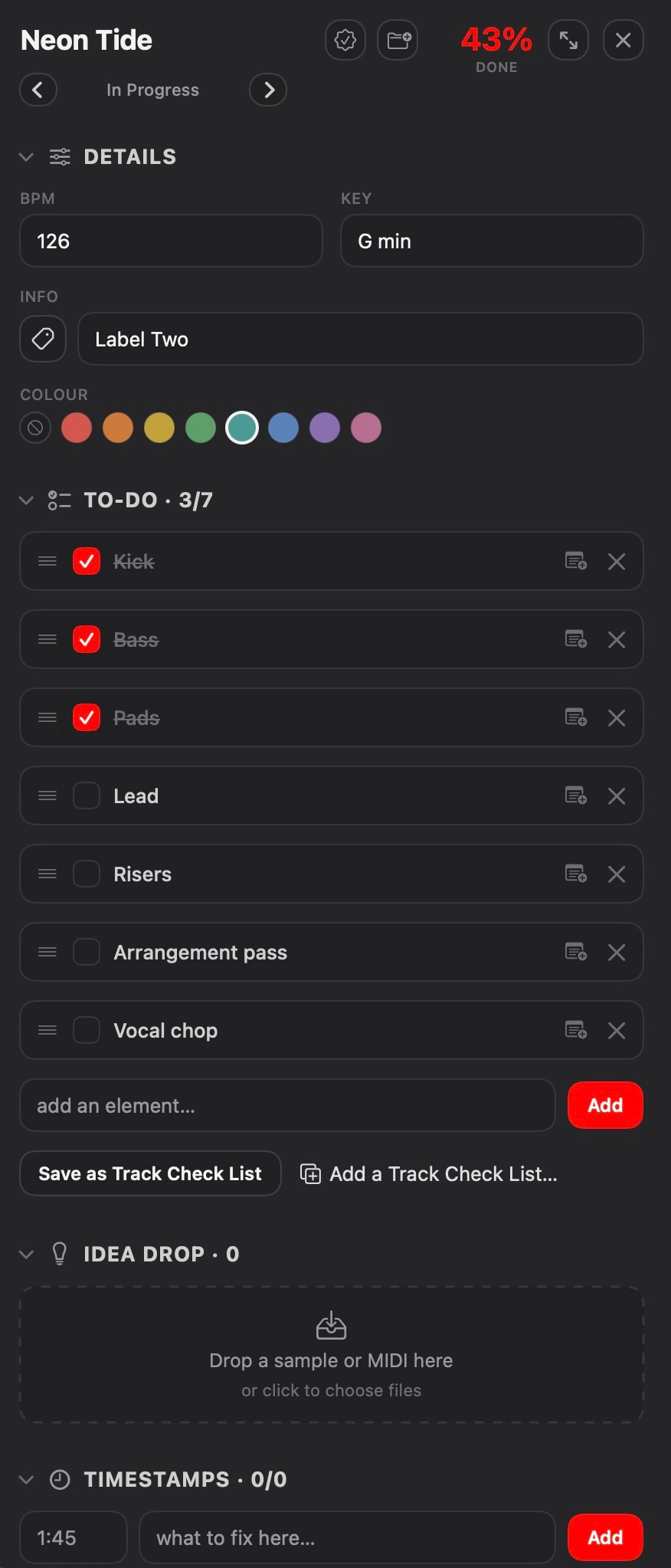
Open a track and it is all there, the BPM and key, the checklist of bits left to do, the label it is going to, and your own notes. No more opening a session and sitting there trying to remember where on earth you left off.
You can build the checklist however you like for each track, and the completion bar updates as you go, so you always know what is actually left before it is done.
Never lose a good idea again
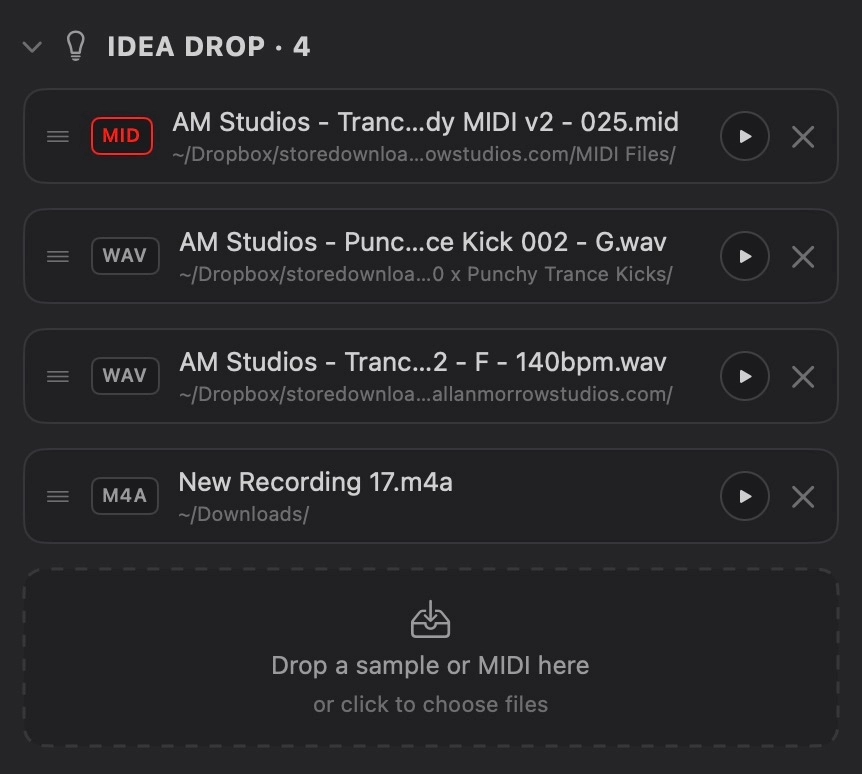
Drop a sample, a bit of MIDI or a voice note onto a track and it gets parked right there with it, so all the little ideas that belong to a track live in one place instead of scattered across your drive. You can play any of them back without opening anything else, just to jog your memory of what you were going for.
Nothing gets copied or changed, it just links to the file wherever it already lives on your computer, so your stuff stays exactly as it is. Think of it as a parking bay for your ideas, where all the bits you would normally lose track of are sat right next to the track they belong to.
Pin every fix to the exact second
When you are listening back and something jumps out, like the lead being too quiet at 2:34 or a riser sitting too loud, you can mark the exact spot so you know precisely where to go when you open it back up. No more scribbled notes or trying to remember what that one thing was.
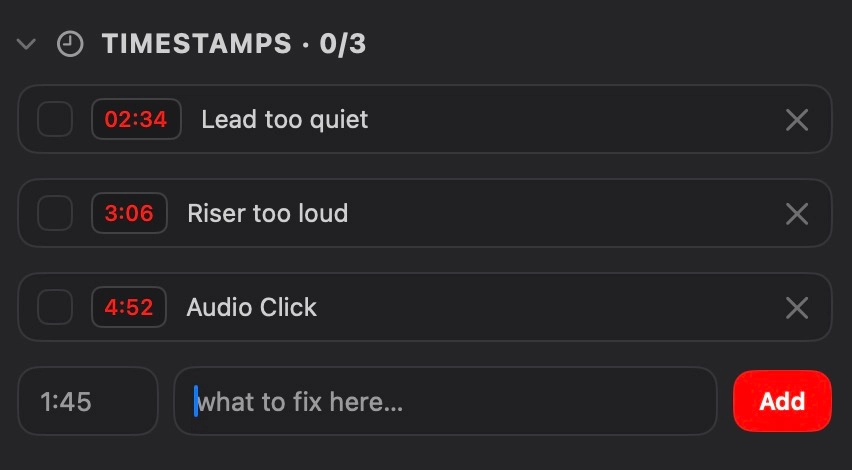
Keep all your feedback in one place
When you send a track out to the people you trust and the notes come back, you can log it all against the track, who said what and what they reckoned. So instead of feedback being scattered across messages and emails, it is sat right there next to the track it is about, ready for when you go back in to work on it.
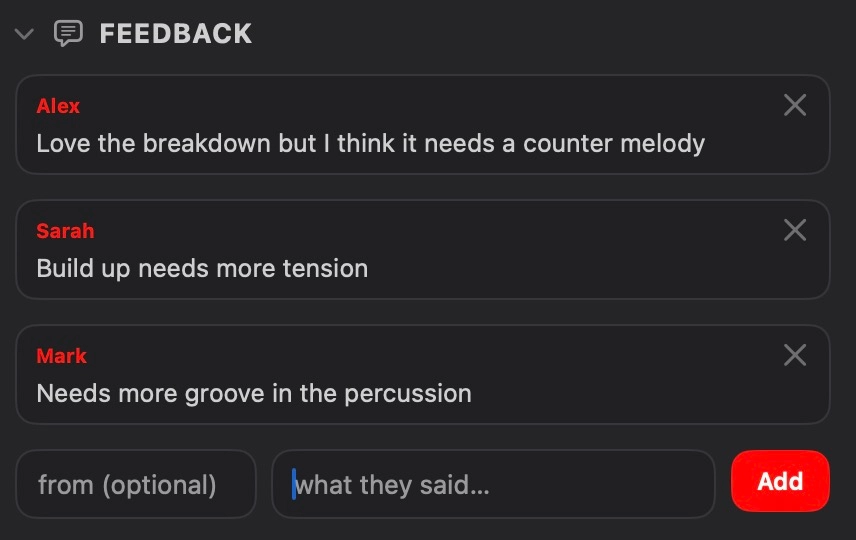
Build your own roadmap
The stages every track moves through are completely up to you. Start from the ready made ones or build your own from scratch, rename them and reorder them so they match the way you actually work. A producer's roadmap looks nothing like a mastering engineer's, so TRACKIT lets you set it up to suit yours rather than forcing one way of doing things.
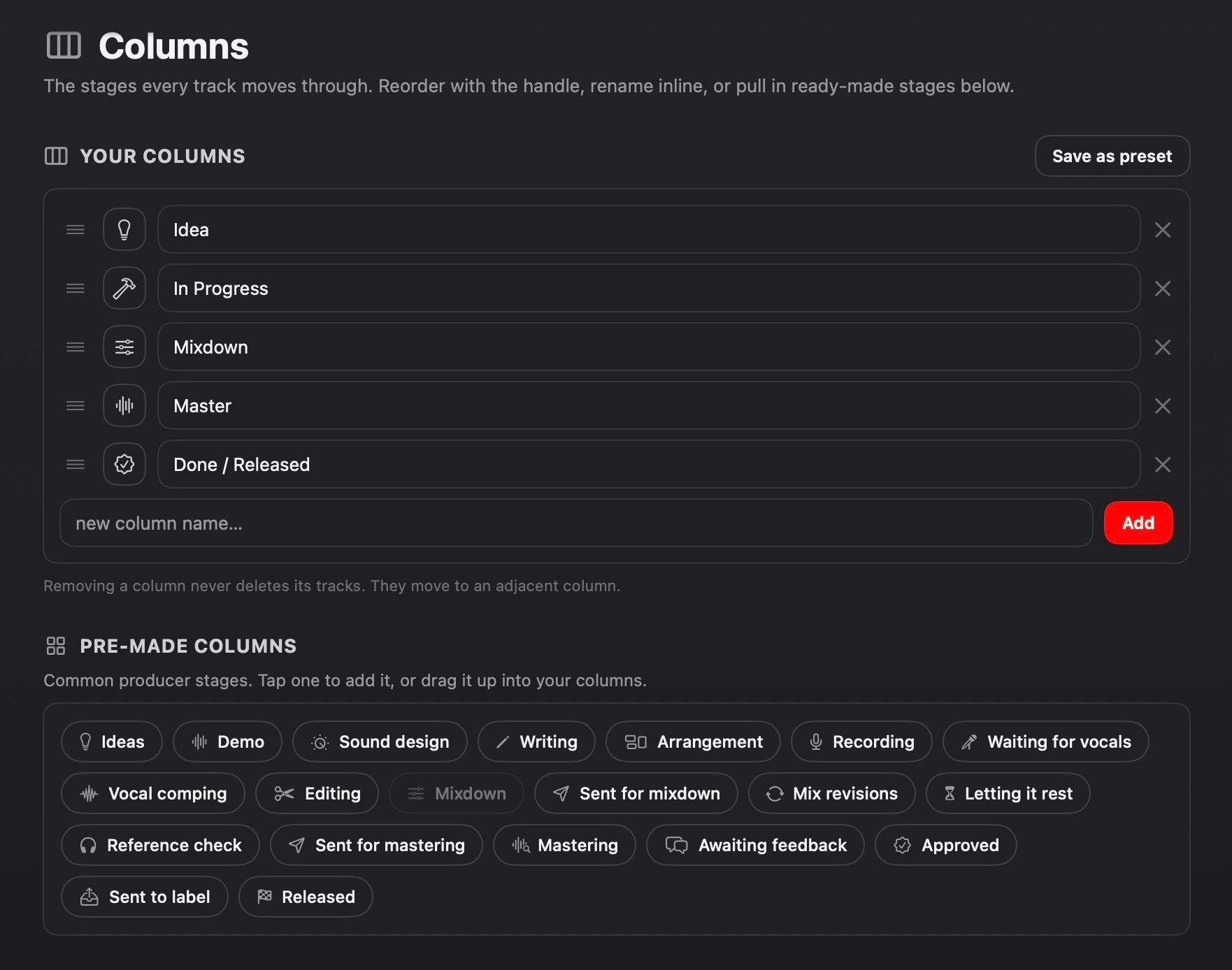
Save the checklists you use again and again
If you find yourself adding the same list of elements to every track, you can save it as a reusable check list and drop it onto any track in a couple of clicks. Your go to drum elements, a mixdown checklist, a promo and marketing list for when a track is done, whatever you keep coming back to, set it up once and reuse it.
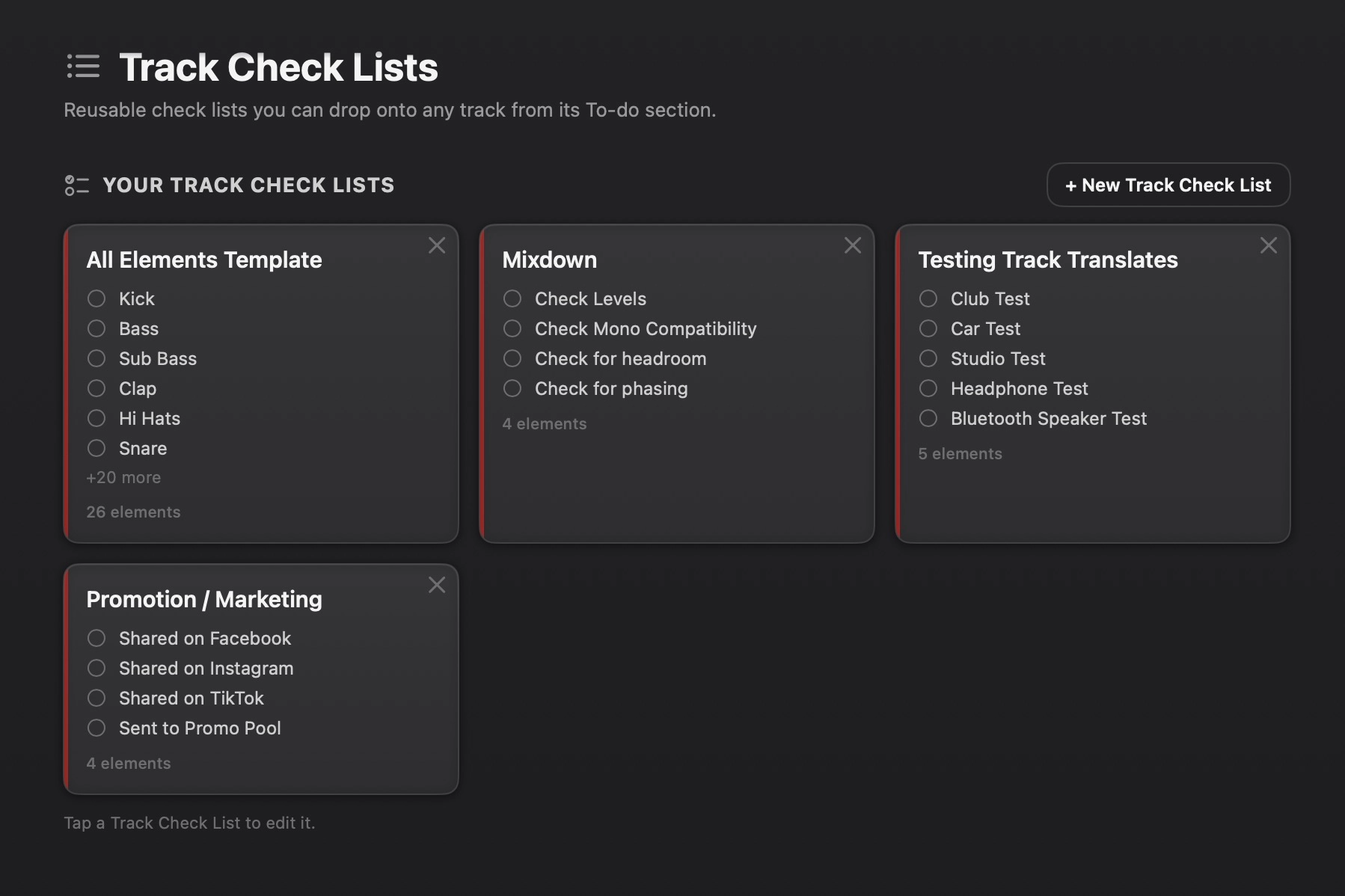
Set it up to look however you like
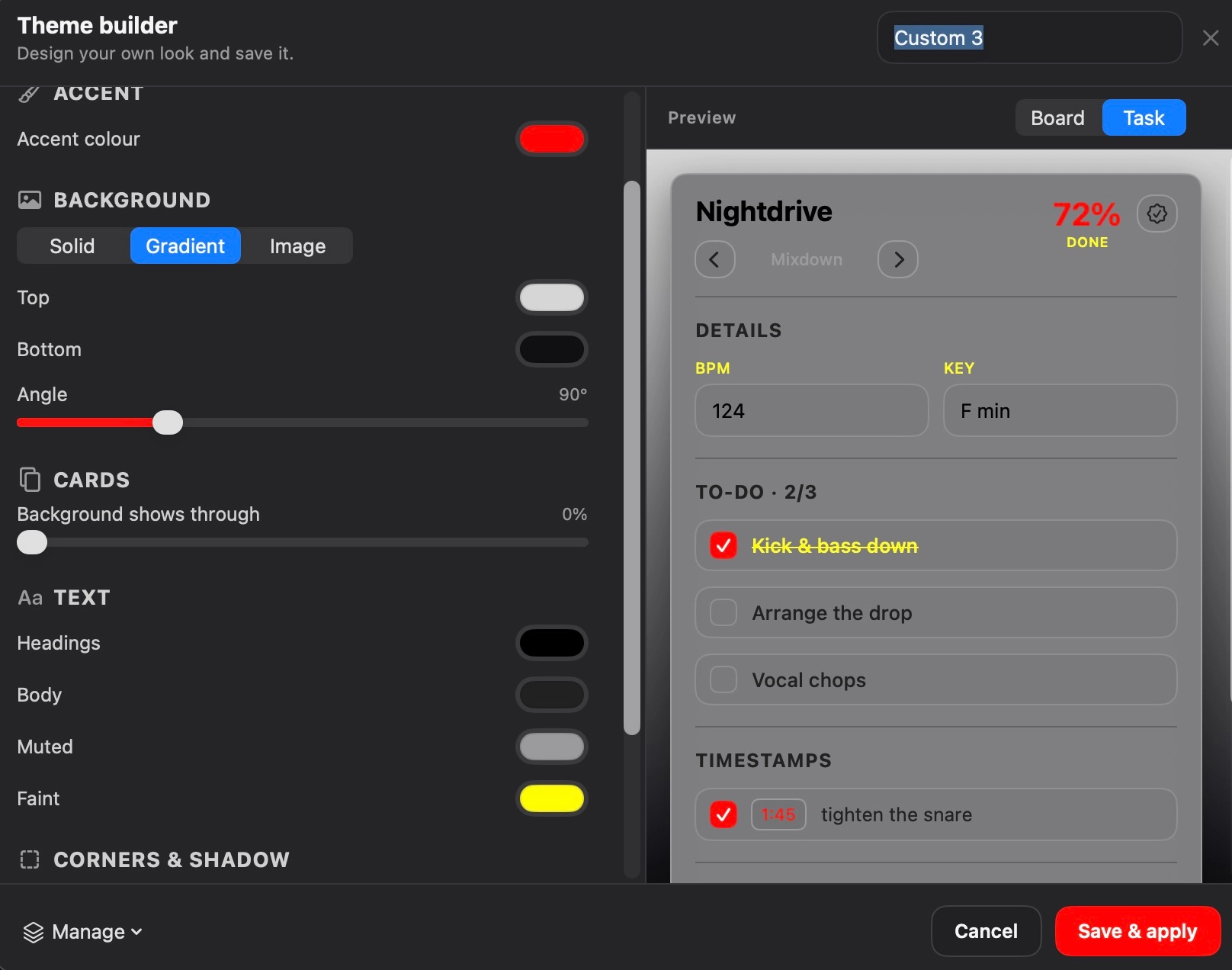
There is a full theme builder in there so you can change the accent colour, the background, add a gradient or even your own image, and tweak it until it feels like yours. A little thing, but working in something that looks the way you want it to does make a difference.
A few other bits
•Labels
Tag your tracks by client, label, genre or anything you like, then filter the board down to just what you want to see.
•Clickable links
Paste a link into a note, a reference or a bit of feedback and it becomes clickable right there in the text, handy for a reference on Spotify or YouTube.
Not just for producers
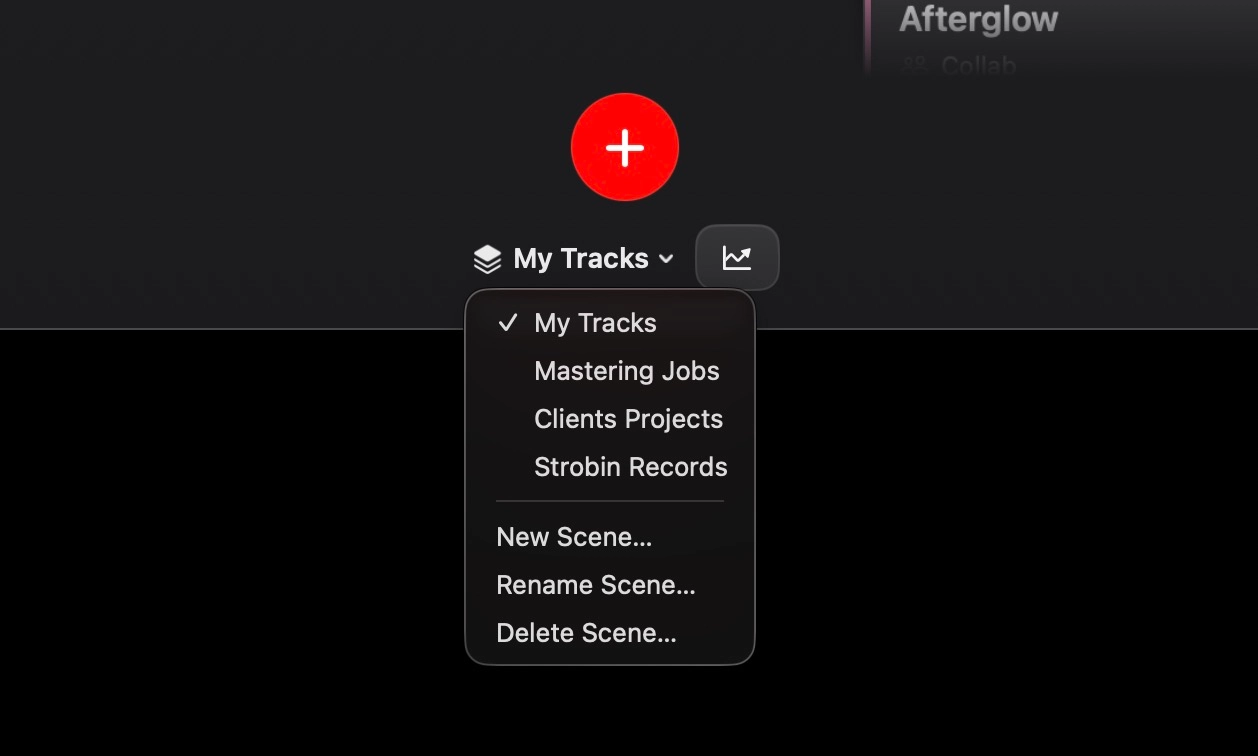
Separate scenes let you keep everything apart, so your own music never gets tangled up with client work or label releases.
•Producers
Keep your own tracks moving from idea to finished, and finally get on top of that backlog.
•Record labels
Track where every release is in the pipeline, from the moment it comes in to the day it goes out.
•Mastering engineers
Keep a clear view of every job that is in, what stage it is at, and what is ready to go back.
•Client work
A separate scene per client so you can see how each one's tracks are coming along at a glance.
Frequently asked questions
Is it a one off payment or a subscription?
It is a one time purchase. You buy it once and it is yours, no monthly fees and nothing to renew.
Will it move or change my files?
No. When you park a sample, a bit of MIDI or a voice note onto a track, it just links to the file wherever it already lives on your computer. Nothing gets copied, moved or changed, so your files stay exactly as they are.
Does it work with my DAW?
Yes. It is not a plugin, it is a separate app that sits alongside whatever you produce in, so it works the same whether you are in Ableton, Logic, FL Studio or anything else. You carry on working how you always have and use TRACKIT to keep on top of where everything is up to.
Is my data stored online?
There is no account and no TRACKIT server, so your work is always your own and it runs completely offline if you want it to. The only time anything leaves your Mac is if you choose to turn sync on, and even then it just uses a cloud folder you already have, like iCloud Drive or Dropbox, to carry your boards between your own Macs. Nothing ever comes to us.
What happens if I get a new Mac?
There is a manual backup built in, so you can export everything to a single file and bring it straight back in on your new machine without losing anything.
Can I use it for client work or a label?
Definitely. You can set up separate scenes so your own music, your client jobs and any label releases all stay in their own space rather than getting tangled up together.
How does syncing work, and do I need an account?
Turn sync on and TRACKIT keeps itself the same on all your Macs. There is no account and no server. There is nothing to sign up for and no password anywhere. It saves one small file into a cloud folder you already use, and that folder, iCloud Drive, Dropbox, Google Drive or whatever you have, does the carrying between your Macs. Finish a session on one, open the next, and your boards are already there waiting. Sync just rides on a folder your own cloud service already keeps in sync, so there is no TRACKIT account to make and nothing to manage. It is also completely optional and stays off until you choose to turn it on. If you only ever work on one Mac, leave it off and nothing changes. When you do want it, you turn it on from the "Sync off" button in the top left of the board, which walks you through it.
Which cloud services does it work with, and do both my Macs need the same one?
Any service that keeps a folder in sync on your Mac. iCloud Drive, Dropbox, Google Drive and OneDrive all work, and so does anything similar. You point TRACKIT at a folder that service already syncs, and pick the same one on each Mac. You are not tied to any particular one. Both Macs do need to be able to see the same synced folder, so whatever you use, make sure it is signed in and running on each Mac. When you turn sync on, TRACKIT looks for your existing sync folder and joins it automatically when it finds one.
What actually syncs, and does it use up my cloud storage?
Pretty much everything that matters travels: all your scenes, cards, to-do lists, notes, timestamps, feedback, check lists, your themes, and the audio you have parked on your cards (your Idea Drop clips, your reference tracks and your final bounces). A few things stay personal to each Mac on purpose, like your zoom level and the app language. Linked files also stay put, the list of them travels but the files themselves stay where they live on each machine. As for storage, it lives in your cloud folder, so yes, it counts against that service's space like anything else in there. The boards themselves are tiny. The audio you park on your cards is the part that takes up room, so roughly however much audio you park is roughly how much cloud space it needs.
What if I edit on two Macs while they are apart? Can I lose anything?
TRACKIT never guesses and never mashes the two together. When it sees both Macs were changed, it stops and asks you which version to keep, and it automatically backs up the other one first, so nothing is lost either way. If your cloud service leaves its own "conflicted copy" of the file, TRACKIT spots that too and gives you the same choice. As sync runs, it also quietly keeps automatic safety backups, and it always backs up your current board before it replaces it with anything. If a sync ever brings across something you did not want, you can roll that Mac back to an earlier point in a click, from Settings.
Does any of my music come to you?
No, never. There is no server in the middle and nothing comes to TRACKIT or to me. Your work only ever sits in your own cloud folder, the same one your other files are already in, and only your own Macs can see it.
Does it still work offline, and is it instant?
Yes, you can work with no internet at all. TRACKIT writes your changes on your Mac straight away, and the next time your cloud folder is online it catches up on its own. Nothing ever waits on a connection. As for speed, it is as quick as your cloud service is. TRACKIT writes the change the moment you make it, then your cloud folder carries it across in its own time, usually seconds, sometimes a little longer if it is busy syncing something big. It is not a live link between your Macs, it rides on the folder, so give it a moment to come through.
Is it available in my language?
It comes in eight languages, English, Spanish, German, French, Italian, Portuguese, Chinese and Japanese, the whole app and its guides. You pick yours the first time you open it and can change it any time.
Finish more of what you start
If you have got a pile of unfinished tracks and you are tired of losing track of where they are all up to, this is the kind of thing that can really help you get a grip on it.
System requirements
- Operating systemmacOS 14.0 (Sonoma) or later
- MacWorks on both Apple Silicon and Intel Macs
Customer Reviews
£10.99


£10.99
You may also like...

Arturia JUP-8000 V – Trance Essentials Soundbank Vol 2 (35 x Presets)



You may be interested in…
Arturia JUP-8000 V – Trance Essentials Soundbank Vol 2 (35 x Presets)
![Arturia JUP-8000 V - Sunset Essential Trance 2000s Soundbank [64 x Presets]](https://allanmorrowstudios.com/wp-content/uploads/2025/06/Sunset-Essential-Trance-2000s-for-Arturia-Jup-8000-V-300x300.jpg)
Related products



![Trance Kick & Bass [Ableton Template, Walkthrough Video & Stems]](https://allanmorrowstudios.com/wp-content/uploads/2023/08/Trance-Kick-bass-Ableton-template-project-file-tutorial-300x300.jpg)
 TRACKIT – Track Task Man...
£29.99