Summer
Sale
—
up to 55% OFF
Summer
Sale
—
up to 55% OFF

SALE 25%
Product Information
(5 Reviews)
£19.99 Original price was: £19.99.£14.99Current price is: £14.99.
Categories: Ableton, Classic Trance, Composing, Hard Trance, NEW!!!, Plucks & Leads, Sound Design, Tech Trance, Techno, Trance, Trance Leads, Trance Pads, Video Tutorial
Tags: 40, Ableton, Help me with… Finishing Tracks, Help me with… Melody Writing, How To Make Trance, How to Make Trance Music, Just In, Melody, Trance, Uplifting TranceSave when purchasing together
Video Duration – 2 hours
⬤ Are your delays causing your mixes to sound muddy & messy?
⬤ Are you always wondering how to set up your delays?
⬤ Are you confused about whether you need to add to your channel or a bus?
⬤ Do your tracks lack movement & space?
⬤ Do you struggle to add delay to vocals?
⬤ Are your delays causing phase issues or weakening your low end?
⬤ Do you just want to know how to set up your delays for a pro sound?
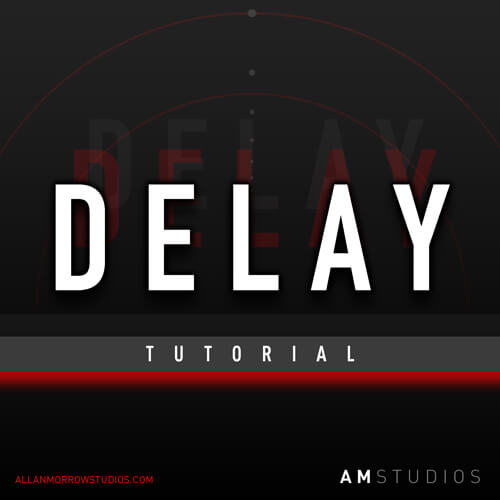
Delay Tutorial Course Preview
Delay Tutorial
Delay should make a track feel bigger and more alive.
But for a lot of producers, it can do the opposite. Tracks turn muddy, feel too busy or empty, and sounds start getting lost in the mix.
I put this tutorial together because delay is often misunderstood and producers are left with many questions as to how to use delay in their tracks and how to set them up for the best results.
In this tutorial, I show how I actually approach delay in my tracks, Leads, Hits, Bass, Pads, Percussion, Vocals & More, along with the two fundamental rules I use when using delay so that I can get creative. How timing choices change everything, why some parts have delays and others don’t, and why delay can expose problems rather than fixing them.
This isn’t about presets or copying exact settings. It’s about understanding delay well enough to start being confident with it.
If delay has ever felt like the reason your tracks don’t sound as pro as others, or you would like to see how someone else approaches delay to gain a different perspective, this will change how you look at using delay.
The Delay Tutorial covers:
⬤ How I approach delay in my tracks
⬤ How I approach delays for Leads, Hits, Bass, Pads, Percussion, Vocals & more
⬤ The two rules I always stick to so I can experiment with delays
⬤ My favourite types of delay for certain elements
⬤ How delay can be used to create depth in your tracks
⬤ How to understand delay timing using LFO Tool
⬤ The delay settings I never use
⬤ How to add width with your delays while keeping the body of the sound
⬤ How to eq and mix your delays
⬤ How to set up your delays so that your low end stays punchy
⬤ My thought process around why I may add more or less delay
⬤ When I will use delay on a track VS a send and why
⬤ How to get creative with multiple delays
⬤ How to get creative with delay EQ
⬤ How to use delay to fill gaps instead of cluttering the mix
⬤ My thoughts around sending everything to the same delay on a bus
+ more!
Transfer techniques to any DAW / Delay plugin
All techniques are easily transferred to any DAW / Delay plugin you use.
Build confidence
Build confidence around delay decisions so that you can ultimately get creative with it.
Save time
Knowledge is power. The more you learn, the quicker your tracks will come together.
In-depth understanding
Get a deep understanding of the thought process behind my decisions when it comes to using delays.
Your Tutor
Allan Morrow – International Trance DJ/Producer. Tracks signed to labels such as Armada, Blackhole Recordings, Discover Records, FSOE, Kearnage Recordings, Mental Asylum Records, Pure Trance, Outburst Records & Many more!

I don’t use Ableton Live. I use a different DAW. Can I still use this video?
Yes. Please don’t restrict yourself from the knowledge inside this tutorial due to having another DAW. All the techniques you will learn in these videos can be implemented into your own DAW.
What software is used in this video?
- Ableton Live Echo (Used to demonstrate the parameters I’m using, the concepts translate to most delays and you don’t need Echo to get the same results)
- LFO Tool – (Used as a visual aid to help with learning and demonstrations. Again, not need to get the same results)
***Please note – You can use any DAW of your choice to follow along with this tutorial.
Grab your copy now and start making your delays sound and sit better!
JOIN THE AM STUDIOS TRANCE PRODUCTION COMMUNITY
Exclusive Production Tips & Tricks
Free Video Tutorials
Monthly Random Tutorial Winner
Free Presets, Samples & MIDI
Exclusive Offers
Customer Reviews
Giorgio
Rating: 5/5
An absolute must know techniques
This is a very learning experience.
MIX, sound layer, and timing, there are plenty of things I want to know.
Some really cool techniques here plus you get the knowledge, which is an absolute must know FX and mixing techniques Allan uses for his professional releases.
Tue Jun 16 2026 19:49:46 GMT+0000 (Coordinated Universal Time)
DANIEL RYAN
Rating: 5/5
Excellent Tutorial
Excellent tutorial on delays, certainly gave me some new ideas for there use in my own productions!
Tue Mar 17 2026 12:23:40 GMT+0000 (Coordinated Universal Time)
Peter
Rating: 5/5
got to know all the tricks!
Great tutorial on delay - now I know the secrets of how to get my tracks sounding like the finished article - was getting very frustrated wondering what tricks I'd missed!
Mon Feb 16 2026 13:43:02 GMT+0000 (Coordinated Universal Time)
Michael Root
Rating: 5/5
Exactly What I Needed to Understand Delay
I am so glad I picked this tutorial up, and I would highly recommend it to others. First, the material is accessible and well-organized into logical sections. This makes it easy to go through over the span of a couple of days and reference again in the future. Each section shows the application of delay in context. This helped me better internalize how to think about delay across various scenarios. The sections on low-end and vocals were amongst my favorites in this tutorial. Great resource!
Sat Jan 31 2026 16:23:34 GMT+0000 (Coordinated Universal Time)
Aaron Dempsey
Rating: 5/5
Best delay tutorial by far!
This is easily the best delay tutorial I have seen. I love how Allan explains every detail, his thought process and gives visual and audio examples of what he is doing and why. I don't use Ableton delay, but I was easily able to learn from the information given and use it in my own delay. I also loved the explanations on mixing and his thought process around that, as there was a lot of stuff I never would have even thought about! Great work, Allan. I already grabbed some more tutorials!
Mon Jan 26 2026 22:53:18 GMT+0000 (Coordinated Universal Time)
Arturia JUP-8000 V – Tra...
£12.99 Original price was: £12.99.£8.99Current price is: £8.99.


Serum 2 Trance & Dance So...
£24.99 Original price was: £24.99.£17.99Current price is: £17.99.
You may also like...
SALE 50%

Trance Leads Layering Tutorial
(5 Reviews)
SALE 45%
How To Make Uplifting Trance – Start To Finish Course (10+ Hours)
(5 Reviews)
SALE 28%
![Arturia JUP-8000 V - Sunset Essential Trance 2000s Soundbank [64 x Presets]](https://allanmorrowstudios.com/wp-content/uploads/2025/06/Sunset-Essential-Trance-2000s-for-Arturia-Jup-8000-V-300x300.jpg)
Arturia JUP-8000 V – Sunset Essential Trance 2000s Soundbank [64 x Presets]
(5 Reviews)
SALE 42%
How To Make Trance – Start To Finish Course (8+ Hours)
(5 Reviews)
SALE 20%
Serum 2 Trance & Dance Soundbank Vol 1 by Sunset (65 x Presets)
(5 Reviews)
You may be interested in…
SALE 34%
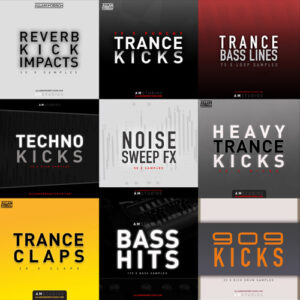
Trance Sample Packs
(5 Reviews)
SALE 32%
Trance Mixdown [009] + FREE GUIDES [Ableton Live]
(5 Reviews)
SALE 41%

Classic Trance Production Course – Start To Finish (8 hours) [Ableton]
(5 Reviews)
SALE 30%
Trance MIDI – 50 x Acid
(5 Reviews)
SALE 23%

Arturia JUP-8000 V – Trance Essentials Soundbank (35 x Presets)
(5 Reviews)
Related products
SALE 25%
Progressive Trance – Transitions & Automation 006
(5 Reviews)
SALE 30%
Hard Trance Bass | 30 x Sylenth1 Presets
(5 Reviews)
SALE 50%
Trance Acid Tutorial [003] [Ableton Live]
(5 Reviews)
SALE 30%

Thinking Outside The Box – Episode 003 (Trance Bass Line Special) Logic Pro X Template
(5 Reviews)
SALE 60%

Tech Trance Tutorial Series Bundle 1 [8.5+ Hours Video Tutorials]
(5 Reviews)
SALE 50%

How It Was Produced – Allan Morrow – Disengage
(5 Reviews)
SALE 50%

Trance Percussion Tutorial [004] [Ableton Live]
(5 Reviews)
SALE 43%

Tech Trance Track Mixdown Tutorial (157 mins) [008]
(5 Reviews)
SALE 48%
![Allan Morrow – Trance Production Video Tutorials [Bundle 2]](https://allanmorrowstudios.com/wp-content/uploads/2020/04/Bundle-part-2-300x300.jpg)
Allan Morrow – Trance Production Video Tutorials [Bundle 2]
(5 Reviews)
© Created by AKM
Delay Tutorial
£19.99 Original price was: £19.99.£14.99Current price is: £14.99.